
pfSense is a firewall, routing, VPN, and network-services platform based on FreeBSD. It can run on dedicated hardware or as a virtual machine, serving anything from a home lab to an enterprise edge with multiple WAN links, VLANs, VPNs, high availability, and complex policy enforcement.
The most useful way to think about pfSense is not as “a firewall with a web GUI,” but as a network-focused operating-system platform. It combines FreeBSD, the PF packet filter, routing, system services, and an administrative web interface into one integrated product.
Netgate’s documentation preserves the origin of the name: an early project tagline was “making sense of PF”, reflecting the goal of turning PF and surrounding network technologies into a manageable firewall/router/VPN platform.

pfSense CE and pfSense Plus are distinct product lines
Since 2021, pfSense has had two clearly differentiated lines:
- pfSense Community Edition (CE): the community open-source project.
- pfSense Plus: Netgate’s commercial product, historically derived from the pfSense project but now developed with its own release cadence and additional capabilities.
It is therefore too simplistic to describe Plus as merely “the paid version of CE.” Netgate treats Plus as a separate product with more frequent releases and features that are not always present in Community Edition.
As of this review:
- pfSense CE 2.9.0 is the newest Community Edition release, published August 20, 2026.
- pfSense Plus 26.07 is the current Plus release, published August 13, 2026.
Both current lines use a Netgate-maintained FreeBSD 16-CURRENT base, but their features and schedules should not be assumed to remain identical.
Official references: pfSense version history and What is pfSense Plus?.
What can pfSense do?
Common uses include:
- stateful IPv4 and IPv6 firewalling;
- routing between networks;
- NAT and port forwarding;
- VLAN segmentation;
- DHCPv4 and DHCPv6;
- DNS Resolver using Unbound;
- IPsec, OpenVPN, and WireGuard VPNs;
- Multi-WAN, failover, and policy-based balancing;
- Captive Portal;
- traffic shaping and limiters;
- high availability;
- dynamic DNS;
- logging, graphs, and diagnostics;
- static and dynamic routing;
- IDS/IPS and filtering through packages.
The strength of pfSense is not that it has every possible networking feature, but that it integrates many mature ones into a coherent administration model.
Stateful firewalling and rules
pfSense uses a stateful firewall. It tracks established connections in a state table instead of evaluating every packet as an unrelated event.
Rules can match interface, protocol, source, destination, ports, aliases, schedules, and other criteria. In normal designs, interface rules are evaluated on the interface where traffic enters the firewall.
Aliases are especially valuable because they let administrators represent groups of hosts, networks, or ports with a meaningful name. A policy can then reference one alias instead of duplicating the same addresses across many rules.
Good firewall policy starts with explicit requirements. “Allow everything now and fix it later” may be convenient in a lab, but it undermines segmentation in production.
NAT and port forwarding
pfSense supports outbound NAT, port forwarding, 1:1 NAT, and related translation modes.
NAT should not be confused with security. A network can use NAT and still have permissive firewall policy, or route globally valid addresses without NAT while remaining strongly protected by filtering rules.
This becomes especially relevant with IPv6, where normal designs can route real prefixes without traditional IPv4-style NAT and depend on the firewall for access control.
VLANs and network segmentation
pfSense is commonly used to route and filter between VLANs.
Typical segments include:
- users;
- servers;
- IoT devices;
- guest Wi-Fi;
- voice;
- management;
- labs;
- surveillance cameras.
Each network can receive a different security policy. IoT devices may reach the Internet while being blocked from management systems. Guests can browse without seeing internal hosts. Servers can expose only the ports required by their applications.
A VLAN by itself is not a security policy. The security boundary is created when inter-VLAN routing passes through a firewall with deliberate rules.
DHCP: from ISC DHCP to Kea
Current pfSense versions include Kea DHCP as the modern DHCPv4/DHCPv6 backend.
This transition matters because the older ISC DHCP backend is deprecated. Kea supports features such as dynamic registration of DHCP hostnames into the Unbound DNS Resolver and high availability in hot-standby mode.
In an HA pair, nodes can synchronize lease data across the synchronization interface so the standby can continue serving clients if the primary DHCP service fails.
DNS Resolver and DNS Forwarder
pfSense includes two different DNS services:
- DNS Resolver: based on Unbound and enabled by default. It can perform recursive resolution or operate in forwarding mode.
- DNS Forwarder: based on dnsmasq and limited to forwarding queries to upstream DNS servers. It is disabled by default on new installations.
Unbound is the natural choice in many networks because it supports recursive resolution, DNSSEC, local overrides, and integration with DHCP registrations.
Multi-WAN designs must pay special attention to DNS. If every configured DNS server depends on one WAN, losing that WAN can make the entire Internet appear unavailable even though another link is still working.
VPNs: IPsec, OpenVPN, and WireGuard
IPsec
IPsec remains a standard choice for site-to-site interoperability, enterprise firewall integration, and selected remote-access designs.
OpenVPN
OpenVPN remains flexible for both remote-access and site-to-site VPNs. It supports certificates, users, and multiple authentication models.
WireGuard
On current pfSense systems, WireGuard is installed through the Package Manager. Netgate describes it as a simple Layer 3 VPN protocol designed for strong performance and minimal configuration.
That simplicity also means it does not include the same built-in user-authentication concepts found around OpenVPN. Large peer deployments may therefore require additional operational tooling.
Official documentation: WireGuard on pfSense.
Multi-WAN is more than adding a second ISP
pfSense can monitor and use multiple Internet connections through Gateway Groups.
A design can use:
- WAN1 as the preferred link;
- WAN2 as failover;
- specific VLANs preferring a different WAN;
- VPNs tied to a gateway group;
- individual health monitoring for each gateway.
Multi-WAN also affects DNS, LAN rules, services initiated by the firewall, VPN routing, dynamic DNS, and IPv6. Simply plugging in a second WAN does not create a complete resilient design.
Netgate summarizes the required pieces in its Multi-WAN requirements.
High availability: CARP is only one component
A pfSense HA design combines several technologies:
- CARP: shared virtual IP addresses;
- pfsync: firewall-state synchronization;
- XMLRPC: configuration synchronization;
- Kea HA: DHCP lease synchronization and failover when using the Kea backend.
That is why calling it simply a “CARP cluster” is incomplete. CARP provides virtual-address redundancy, but full HA depends on additional synchronization mechanisms.
The normal design is active/passive: the primary firewall handles traffic while a hot-standby peer is ready to assume the virtual addresses and synchronized states.
Official documentation: High Availability.
Packages: extend the firewall without bloating the base system
pfSense includes a Package Manager for optional capabilities.
Examples include:
- pfBlockerNG for additional filtering and lists;
- Suricata and Snort for IDS/IPS;
- HAProxy for HTTP/HTTPS proxy and load-balancing functions;
- FRR for dynamic routing such as BGP and OSPF;
- FreeRADIUS;
- ntopng for traffic analysis;
- NUT for UPS monitoring;
- WireGuard;
- tools such as nmap and iperf.
Netgate explicitly warns against installing packages from unsupported third-party repositories because they can damage upgrades or even make a firewall unbootable. On an edge device, every unnecessary package also increases maintenance and attack surface.
IDS/IPS with Snort or Suricata
Snort and Suricata packages can add intrusion-detection and intrusion-prevention capabilities.
They inspect traffic against rules and signatures and can alert or block selected patterns. They also consume resources and need tuning: overly aggressive rule sets can produce false positives or reduce throughput.
IDS/IPS complements good firewalling, segmentation, patching, and hardening; it does not replace them.
Captive Portal
Captive Portal can present authentication or an acceptable-use page before clients receive network access. It is useful for guest Wi-Fi, schools, hotels, and controlled public networks.
A captive portal is not Wi-Fi encryption. Wireless security and network-access policy are separate layers.
Traffic shaping and limiters
pfSense can prioritize and limit traffic using shaping and limiters.
Typical goals include protecting voice traffic, limiting guests, preventing a single transfer from saturating a link, enforcing per-segment bandwidth limits, and reducing bufferbloat with an appropriate queueing design.
QoS cannot create bandwidth; it can only decide how available bandwidth is shared.
Dedicated hardware or a virtual machine?
Both approaches are valid.
Dedicated hardware
A physical firewall keeps network-edge availability separate from the virtualization stack. A hypervisor reboot does not automatically take the router down with it.
Virtualized pfSense
Virtualization is excellent for labs and can also work in production with careful design. Hypervisors such as Proxmox VE can present virtual NICs or use PCI passthrough for physical interfaces.
Production questions include:
- what happens when the hypervisor fails;
- whether WAN traffic is properly isolated;
- whether management depends on the same virtual network the firewall controls;
- how the host will be reached during a network outage;
- whether hypervisor HA is needed alongside firewall HA.
Our historical pfSense 2.6 installation guide remains useful for understanding the older installer flow.
Minimum hardware and sizing
For generic third-party hardware, current documentation lists these technical minimums:
- amd64/x86-64 compatible CPU;
- 1 GB RAM or more;
- 8 GB or larger storage device;
- one or more compatible NICs;
- boot media for installation.
Those are minimums, not a universal recommendation.
Real sizing depends on WAN speed, concurrent states, VPN encryption, IDS/IPS, ntopng, packages, interface and VLAN count, rules, DNS/DHCP load, and Multi-WAN complexity.
Netgate specifically recommends Intel NICs for many custom-built systems because of mature FreeBSD driver support, and advises against USB Ethernet adapters because of reliability and performance concerns.
The Netgate Installer changed the installation model
Current installations use the Netgate Installer.
The installer image does not contain every pfSense package. It connects to Netgate and retrieves the appropriate components during installation, allowing one installer to offer available pfSense choices without embedding complete releases inside the image.
The installer is free but distributed through a Netgate Store account. On third-party hardware that is not eligible for Plus, the installer can offer Community Edition.
Netgate provides AMD64 USB and ISO images, plus an AARCH64 image intended for supported Netgate ARM devices.
See Netgate Installer.
Netgate appliances: historical images from the original article
The 2023 version of this article included several Netgate appliance images. We are preserving them because they are original visual context and show that pfSense has long been available on dedicated networking hardware.
These images represent the product lineup shown when the article was written. They should not be treated as a current catalog.
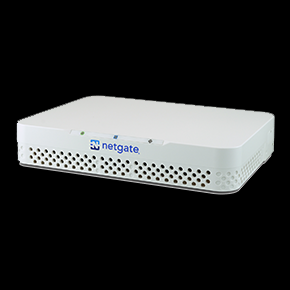
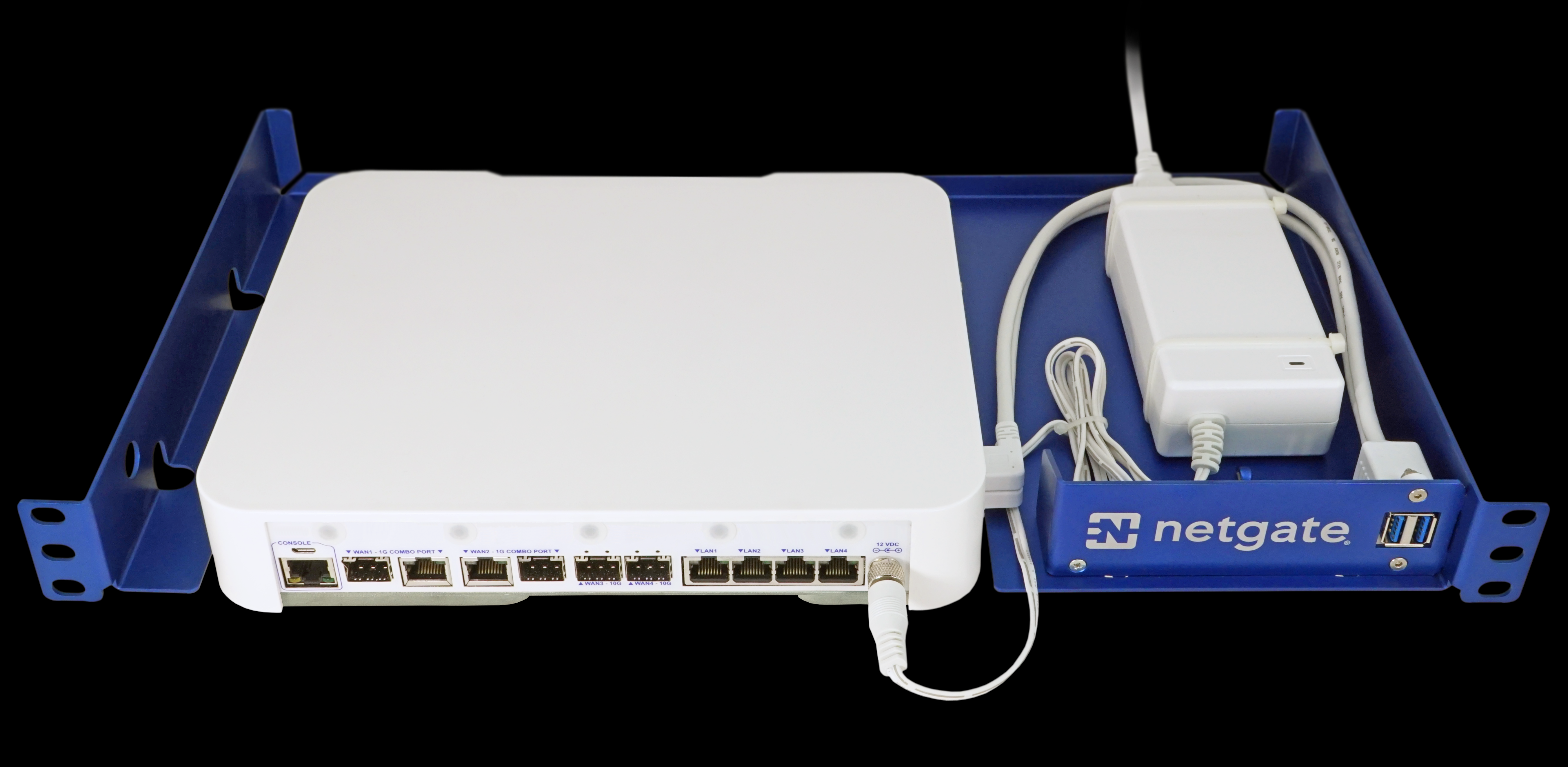
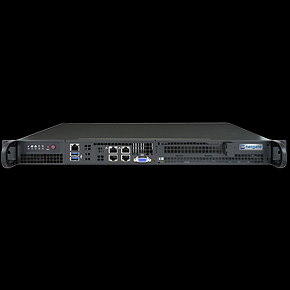
The current product lineup is available from Netgate Appliances.
The web interface
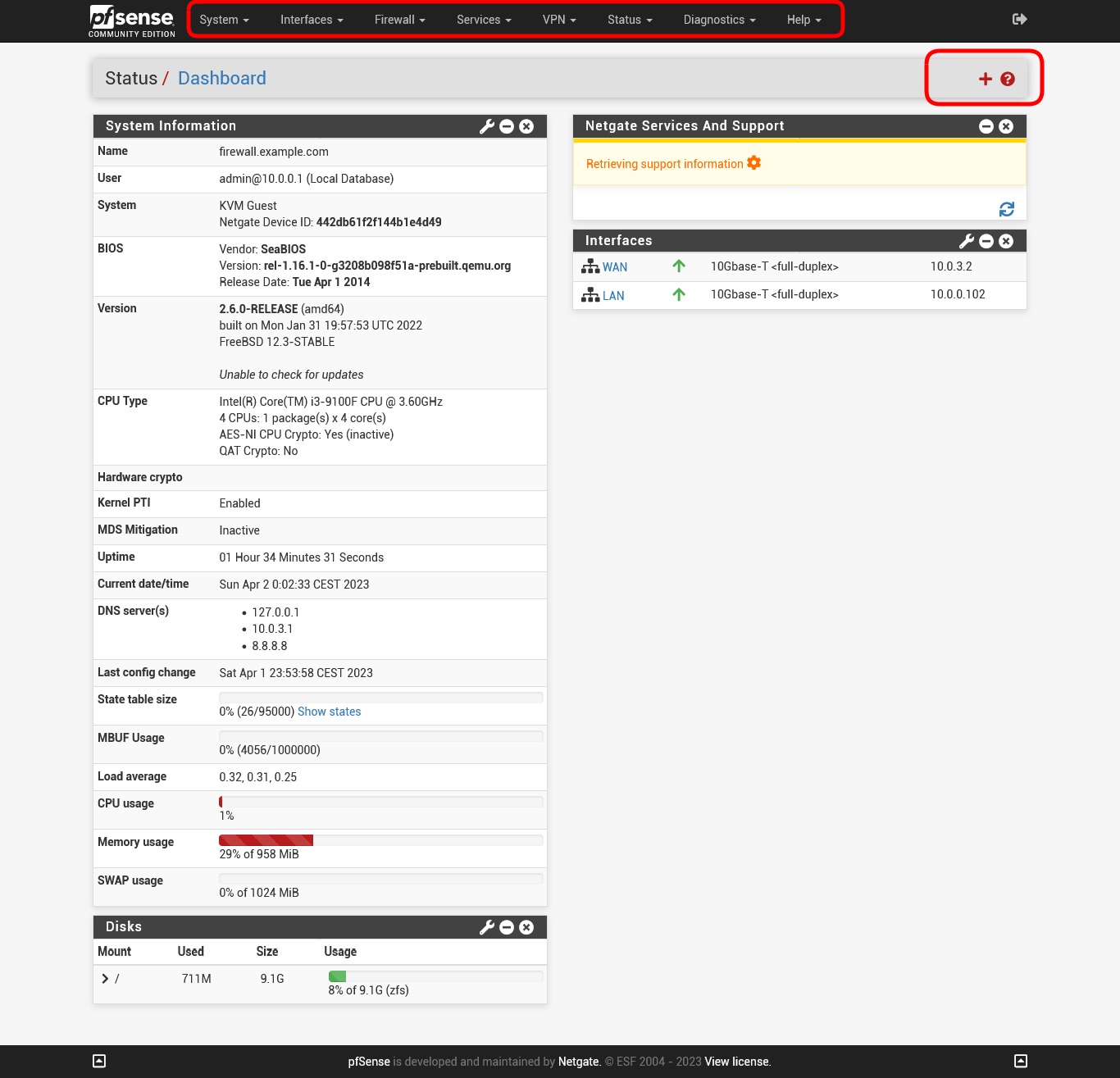
Most daily administration is performed through the WebConfigurator. The appearance has evolved between releases, but the organization around System, Interfaces, Firewall, Services, VPN, Status, and Diagnostics remains familiar.
pfSense does not replace network design
A powerful firewall cannot compensate for an undefined architecture.
Before writing rules, document:
- network segments;
- critical assets;
- required application flows;
- administrative access paths;
- VPN requirements;
- published services;
- configuration backups;
- recovery procedures.
A sound default approach is to allow what is required explicitly and maintain clear boundaries between networks with different trust levels.
Back up the configuration
A pfSense configuration can represent years of accumulated work: rules, VPNs, certificates, users, DHCP, aliases, packages, and service settings.
Keep copies of config.xml outside the firewall itself. Before major upgrades or network changes, create another backup and verify that you know how to restore it.
pfSense Plus systems using ZFS can also use Boot Environments to simplify upgrade rollback, but a local boot environment is not a substitute for an external configuration backup.
Which version should you choose in 2026?
For labs and users who want the open project, pfSense CE 2.9.0 is the current reference.
For Netgate appliances, commercial support, or Plus-specific features, pfSense Plus 26.07 is the current product release.
The choice is not only about price. Consider support, hardware, release cadence, required features, and how the firewall fits into your operational model.
Universo Digital pfSense series
This article is the entry point to our pfSense series. Other guides cover installation, interfaces, VLANs, NAT, rules, VPNs, DHCP/DNS, packages, Multi-WAN, HA, and related administration topics.