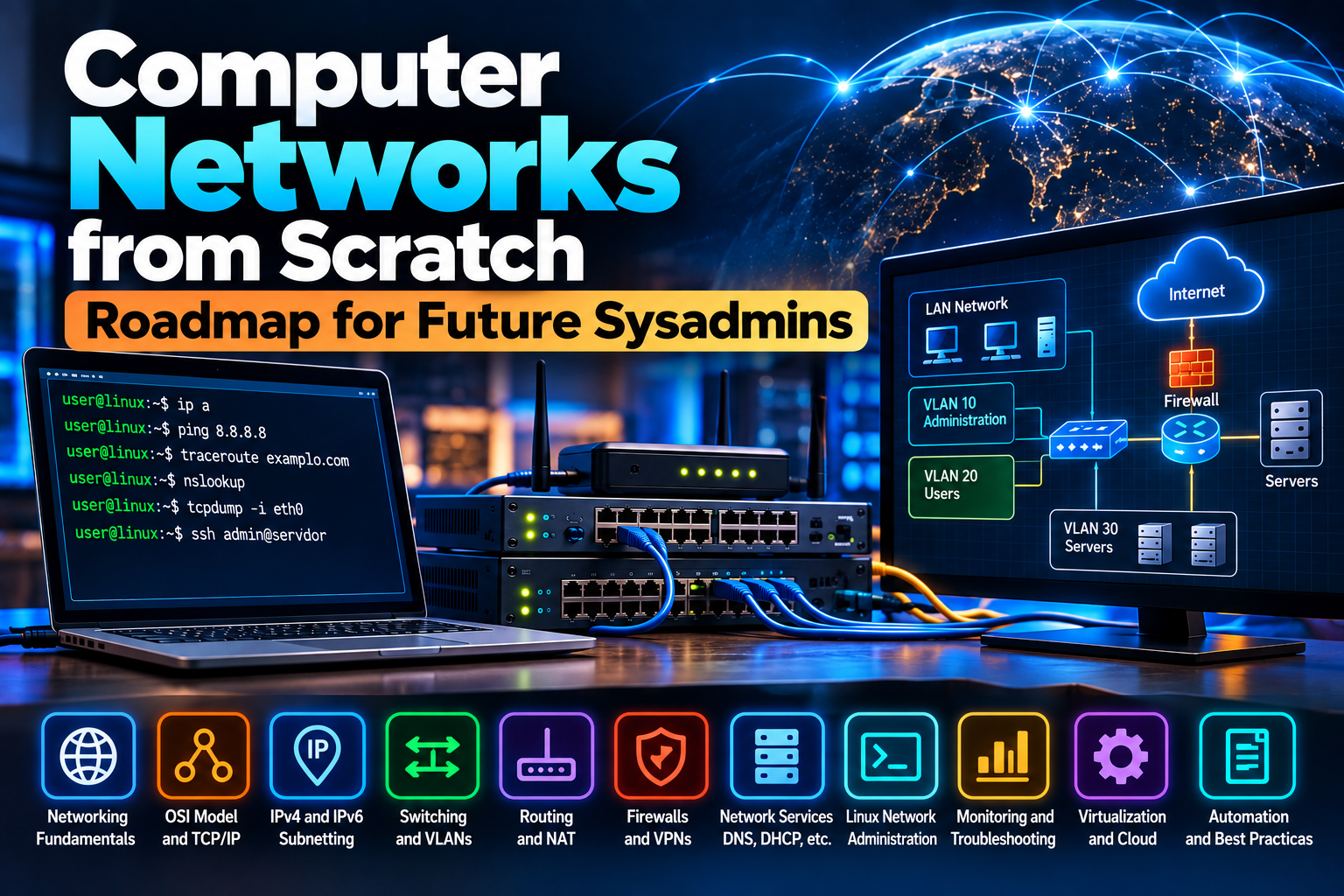
Learning networking is not about memorizing ports, acronyms, or commands. A system administrator needs to understand what happens to a packet from the moment an application sends it until it reaches its destination, where that path can fail, and how to prove what is happening.
This guide is a networking-from-scratch roadmap for future sysadmins. You can read it as an introduction, but it is designed primarily as a study plan: every stage builds on the previous one and ends with concrete skills you should be able to demonstrate before moving on.
You do not need enterprise hardware to begin. A computer, Linux, a few virtual machines, and tools such as Wireshark, VirtualBox, KVM, or Proxmox VE are enough to build an excellent lab.
What you should be able to do after this roadmap
- Explain how application data travels to another machine without relying only on memorized OSI layers.
- Configure and troubleshoot IPv4 and IPv6 addresses, gateways, DNS, routes, and MTU.
- Calculate IPv4 subnets and understand IPv6 prefixes.
- Understand Ethernet, MAC addresses, ARP, NDP, VLANs, trunks, STP, and link aggregation.
- Read a routing table and explain why a packet takes a particular path.
- Distinguish TCP, UDP, and ICMP and relate them to sockets, ports, and services.
- Administer networking on a Linux server from the command line.
- Understand basic firewalling, NAT, VPN, and segmentation.
- Use ping, tracepath/traceroute, dig, ss, tcpdump, Wireshark, and iperf3 for troubleshooting.
- Understand virtual networking in hypervisors, containers, and cloud environments.
- Document a network and apply a repeatable troubleshooting method.
Recommended roadmap
| Stage | Goal |
|---|---|
| 0. Build a lab | Linux, terminal, virtual machines, and basic binary concepts. |
| 1. Physical and Ethernet | NICs, copper/fiber, MAC, switching, Wi‑Fi, speed, duplex, MTU. |
| 2. IP addressing | IPv4, IPv6, CIDR, subnetting, gateways, ARP, and NDP. |
| 3. Transport | TCP, UDP, ICMP, ports, sockets, state, and TLS. |
| 4. Services | DNS, DHCP, NTP, HTTP(S), SSH, mail, SMB/NFS, and directory services. |
| 5. Switching | VLANs, access/trunk ports, STP/RSTP, LACP, Layer 2 security. |
| 6. Routing | Routing tables, static routes, OSPF, BGP concepts, NAT/PAT. |
| 7. Security | Stateful firewalls, ACLs, segmentation, VPNs, secure administration. |
| 8. Linux sysadmin | iproute2, NetworkManager, resolvectl, ss, nftables, tcpdump. |
| 9. Virtualization and cloud | Bridges, vNICs, TAP/TUN, namespaces, containers, VXLAN. |
| 10. Observability | Logs, SNMP, metrics, flows, packet capture, capacity. |
| 11. Troubleshooting | A reproducible method from physical layer to application. |
| 12. Automation | Git, Ansible, APIs, Python, and network as code. |
Stage 0: build a lab before memorizing theory
Networking becomes much easier when you can observe packets and intentionally break things. Start with a small lab.
- A computer with 8 GB RAM or more if possible.
- VirtualBox, VMware Workstation, KVM/QEMU, or Proxmox VE.
- Two or three Linux virtual machines; Debian or Ubuntu Server are enough.
- Optionally, a virtual firewall/router such as pfSense or OPNsense.
- Wireshark on your workstation and
tcpdumpinside the VMs.
You do not need to master Linux first, but you should be comfortable with the shell, files, permissions, processes, services, and a text editor.
Move on when: you can create two VMs on the same network, identify their interfaces, and verify connectivity between them.
Stage 1: physical layer, interfaces, and Ethernet
Before IP, understand what actually carries the bits: copper, fiber, and radio.
- Copper Ethernet is inexpensive and common in LANs; cable category, distance, and transceivers constrain speed.
- Fiber supports longer distances, high throughput, and immunity to electromagnetic interference; learn the basic difference between single-mode and multimode.
- Wi‑Fi is a shared radio medium; coverage, interference, channel selection, channel width, and client count affect performance.
NICs, speed, duplex, and MTU
A NIC connects a host to the network medium. Modern Ethernet normally auto-negotiates speed and duplex, but negotiation problems can still produce loss and poor throughput.
The MTU is the largest unit that can cross a link without fragmentation. Ethernet commonly uses 1500 bytes, while tunnels and VPNs reduce the space available for the original packet. MTU problems can create confusing symptoms where ping works but some sites or transfers stall.
Ethernet frames and MAC addresses
Ethernet moves frames inside a Layer 2 domain. Switches learn which MAC addresses appear behind which ports and use that table to forward traffic efficiently.
Understand unicast, broadcast, and multicast, and remember that basic switching decisions are based on MAC addresses, not IP routing.
Move on when: you can explain what a switch learns, what a MAC address is, what MTU means, and why two hosts on the same LAN do not need a router to communicate.
Stage 2: IPv4, IPv6, CIDR, and subnetting
IP addressing and routing are core sysadmin skills because almost every service depends on them.
IPv4
- Host address.
- Subnet mask or prefix length.
- Network address.
- Usable host range.
- Broadcast address.
- Default gateway.
- RFC 1918 private ranges versus public space.
- Loopback and link-local addressing.
- CIDR and route summarization.
For example, 192.168.10.34/24 belongs to 192.168.10.0/24. A /24 reserves 24 bits for the network and leaves 8 bits for addresses within that network.
Do not skip subnetting
Starting from 192.168.10.0/24, four equal-size subnets can be created using /26:
- 192.168.10.0/26
- 192.168.10.64/26
- 192.168.10.128/26
- 192.168.10.192/26
Each block contains 64 addresses. Traditional IPv4 subnets reserve network and broadcast addresses, with special cases for certain point-to-point designs.
IPv6 is not optional
- Global unicast addresses.
- Link-local
fe80::/10. - Loopback
::1. - Common /64 LAN prefixes.
- Neighbor Discovery and Router Advertisements.
- SLAAC and DHCPv6.
- AAAA DNS records.
- The fact that IPv6 does not use broadcast in the IPv4 sense.
ARP and NDP
IPv4 uses ARP to discover the MAC address associated with a local IPv4 address. IPv6 uses Neighbor Discovery Protocol, based on ICMPv6, for neighbor and router discovery.
Move on when: you can determine whether two hosts are in the same subnet, calculate several IPv4 subnet sizes, explain the role of the default gateway, and recognize IPv6 link-local and global addresses.
Stage 3: ICMP, TCP, UDP, ports, and sockets
ICMP
ICMP is more than ping. It carries network control information such as unreachable destinations, time exceeded, and MTU-related conditions. ICMPv6 is fundamental to normal IPv6 operation.
TCP
- Three-way handshake: SYN, SYN-ACK, ACK.
- Sequence and acknowledgement numbers.
- Retransmissions.
- Windows and flow control.
- Congestion control as a concept.
- Connection teardown.
- States such as LISTEN, ESTABLISHED, TIME_WAIT, and CLOSE_WAIT.
UDP
UDP sends datagrams without a TCP-style connection and does not guarantee delivery, ordering, or retransmission. Reliability can be implemented by the application when needed. DNS, voice, video, and QUIC are common examples where UDP may be part of the solution.
Ports and sockets
ss -tulpn
ss -tan
ss -uan
Move on when: you can explain why one server IP can simultaneously provide SSH, HTTPS, and DNS, and identify an established TCP connection in ss.
Stage 4: services every sysadmin should know
DNS
DNS is a distributed database. Learn recursive versus authoritative resolution and records such as A, AAAA, CNAME, MX, NS, PTR, TXT, and SRV.
dig universodigital.org
dig A universodigital.org
dig AAAA universodigital.org
dig MX example.com
dig +trace example.com
DHCP
DHCPv4 can provide addressing, gateway, DNS, and other parameters. Learn the DORA flow—Discover, Offer, Request, Acknowledge—and understand leases, reservations, scopes, and DHCP relay.
NTP and other services
Correct time is infrastructure. TLS, Kerberos, logs, clusters, and event correlation all become harder or unreliable when clocks drift.
- HTTP/HTTPS and TLS.
- SSH and SFTP/SCP.
- SMTP and IMAP basics.
- SMB/CIFS and NFS.
- LDAP and Active Directory concepts.
- SNMP for monitoring.
- Syslog and journald.
- Database services and the difference between listening locally and exposing a port to the network.
Move on when: when a service “does not open,” you can separate DNS, IP reachability, routing, firewalling, listening port, and application behavior.
Stage 5: real switching—VLANs, trunks, STP, and LACP
A VLAN creates an independent Layer 2 broadcast domain on shared infrastructure. An access port normally carries one VLAN for an endpoint, while a trunk can carry multiple VLANs using IEEE 802.1Q tags.
Hosts in different VLANs require routing to communicate. VLANs segment Layer 2; they do not replace a firewall.
STP and RSTP
Layer 2 loops can create broadcast storms and unstable MAC tables. Spanning Tree Protocol and its variants block redundant paths to keep Ethernet topologies loop-free.
Link aggregation
LACP can bundle physical links into one logical interface when both ends support it. This can add redundancy and spread flows, but a single TCP flow does not automatically gain the sum of all member-link speeds.
Layer 2 security
Managed networks may use DHCP snooping, Dynamic ARP Inspection, RA Guard, port security, and storm control. Current CCNA objectives include these topics because Layer 2 mistakes and attacks can affect both security and availability.
Move on when: you can design user, server, and management VLANs and explain where inter-VLAN traffic is routed and filtered.
Stage 6: routing, routing tables, and NAT
ip route
ip -6 route
ip route get 1.1.1.1
Learn connected routes, static routes, default routes, dynamically learned routes, metrics, and longest-prefix matching.
Static and dynamic routing
Start with static routing. Then learn OSPF to understand an interior routing protocol. Study BGP later as the protocol used to exchange reachability between autonomous systems and as a core part of Internet routing.
NAT and PAT
NAT rewrites addresses. PAT lets many private IPv4 hosts share one public IPv4 address by differentiating flows with ports. NAT is not a firewall, even when both functions run on the same device.
Move on when: you can read a routing table and predict which gateway or interface will be used for several destinations.
Stage 7: firewalls, segmentation, and VPNs
A modern firewall normally tracks connection state. Think in terms of source, destination, protocol, port, direction, and state—not simply “open port 443.”
Apply least privilege: expose only what is required and separate trust zones when risks differ.
WireGuard, IPsec, and OpenVPN can create protected tunnels for remote access or site-to-site connectivity. Learn routing, DNS, and MTU behavior inside tunnels as well as encryption.
For practice, see our pfSense introduction.
Stage 8: Linux networking for sysadmins
Interfaces and addresses
ip -br link
ip -br addr
ip addr show
Routing
ip route
ip route get 1.1.1.1
ip -6 route
Neighbors
ip neighSockets and processes
ss -tulpn
ss -tanp
DNS
resolvectl status
resolvectl query universodigital.org
dig universodigital.org
NetworkManager
Many Linux distributions use NetworkManager. Red Hat documents nmcli and nmtui for administration, including headless systems.
nmcli device status
nmcli connection show
nmcli -f GENERAL,IP4,IP6 device show
Ethernet state
ethtool eth0Packet capture
sudo tcpdump -ni any
sudo tcpdump -ni eth0 port 53
sudo tcpdump -ni eth0 host 192.168.1.50
Wireshark can open pcap and pcapng captures and dissect protocols visually. Being able to read a simple packet capture is one of the most useful sysadmin troubleshooting skills.
Performance testing
iperf3 -s
iperf3 -c SERVER_IP
Local firewalling with nftables
Modern Linux administrators should understand nftables and Netfilter connection tracking. Distribution tools such as firewalld or UFW can simplify policy management, but knowing the underlying model remains valuable.
Move on when: you can repair VM networking, identify which process listens on a port, test DNS, inspect the routing decision, and capture packets for a failing connection.
Stage 9: virtualization, containers, and cloud networking
Modern sysadmins work with virtual interfaces as often as physical ones.
Bridges and virtual NICs
A Linux bridge behaves conceptually like a software switch. Hypervisors such as KVM and Proxmox VE attach VM interfaces to bridges, VLANs, and physical networks.
TAP, TUN, namespaces, and veth
- TAP transports Layer 2 Ethernet frames.
- TUN transports Layer 3 IP packets.
- Linux network namespaces provide isolated network stacks.
- veth pairs connect namespaces and are fundamental to container networking.
Docker, Podman, and Kubernetes build virtual networks, bridges, NAT, and policy on top of these fundamentals. Learn routing, NAT, DNS, and namespaces before diving deeply into Kubernetes networking.
VXLAN and other overlays can carry Layer 2-like segments across Layer 3 networks. Study them after you are comfortable with VLANs and routing.
Our Proxmox VE articles provide practical scenarios for bridges, VLANs, and VM networking.
Stage 10: observability and capacity
- Availability and latency.
- Interface utilization and physical errors.
- Packet loss.
- Bandwidth saturation.
- Jitter for voice/video.
- Device CPU and memory.
- Routing or link changes.
- Firewall, switch, router, and server logs.
- Traffic flows through NetFlow/IPFIX when available.
SNMP, syslog, Prometheus/Grafana, Zabbix, LibreNMS, and similar platforms can provide visibility. The specific product matters less than learning to establish a baseline and detect deviations.
Bandwidth, throughput, latency, jitter, and loss
- Bandwidth: theoretical or configured link capacity.
- Throughput: actual amount of data transferred per unit of time.
- Goodput: useful application data after protocol overhead and retransmissions.
- Latency: travel time across the path.
- Jitter: variation in delay.
- Loss: packets that never reach the destination.
A 1 Gbit/s link can feel worse than a 100 Mbit/s link for interactive traffic when latency, jitter, or loss are high.
Stage 11: build a troubleshooting method
- Does the interface exist and is it UP? Check
ip link. - Does it have the correct address and prefix? Check
ip addr. - Can it reach a host on the local subnet?
- Does ARP/NDP resolve the neighbor? Check
ip neigh. - Is there a route? Use
ip route get DESTINATION. - Can it reach the gateway?
- Can it reach a remote IP address?
- Does DNS return the correct answer? Use
dig. - Is the application port listening? Use
ss. - Does firewall/NAT allow the flow?
- Does the application respond correctly?
- If unclear, capture packets at the right points and identify where the traffic disappears or changes.
Ping is useful, but do not turn it into the only test. A host may block ICMP Echo and still serve HTTPS, while a successful ping proves nothing about DNS, TCP 443, TLS, or the application.
| Tool | Purpose |
|---|---|
| ip | Interfaces, addresses, neighbors, and routes. |
| ping | Basic ICMP reachability and latency. |
| tracepath / traceroute | Path and hops to a destination. |
| mtr | Observed latency and loss along a path. |
| dig | DNS queries and troubleshooting. |
| ss | Sockets and listening ports. |
| tcpdump | Command-line packet capture. |
| Wireshark | Detailed packet analysis. |
| ethtool | Ethernet link state and features. |
| iperf3 | Point-to-point performance testing. |
| nft | nftables/Netfilter rules. |
| curl | HTTP/HTTPS and application-layer tests. |
| openssl s_client | Basic TLS and certificate troubleshooting. |
Stage 12: automation and Network as Code
Learn to automate only after you understand the manual operation. Automating something you do not understand simply lets you make mistakes faster.
- Git for configuration and documentation history.
- Ansible for repeatable changes.
- Python for APIs, validation, and tooling.
- JSON/YAML and structured data.
- APIs exposed by controllers, firewalls, clouds, and hypervisors.
- Infrastructure as code and pre-change validation.
- Automated configuration backups.
Modern professional networking objectives increasingly include controller-based management, APIs, automation, and infrastructure as code. CLI skills remain important, but network operations are progressively becoming software-driven.
12 labs to complete the roadmap
- Connect two VMs on one LAN, assign static IPv4 addresses, and prove connectivity.
- Capture ARP and then a TCP three-way handshake in Wireshark.
- Split a /24 into four /26 networks and build two of them in your lab.
- Configure IPv6 and observe Neighbor Discovery with tcpdump/Wireshark.
- Run a DNS server or use BIND/dnsmasq and create A and AAAA records.
- Run DHCP and provide gateway and DNS settings to a test LAN.
- Create user, server, and management VLANs and route them through a firewall/router.
- Allow only HTTPS from the user VLAN to one server and block other inter-VLAN traffic.
- Build a WireGuard VPN between two VMs or lab networks.
- Measure throughput with iperf3 and observe latency/throughput changes under load.
- Build two networks in Proxmox/KVM using bridges and VLAN tags.
- Intentionally break DNS, gateway, prefix, firewall, and MTU settings and document how you diagnosed each failure.
What to study after the fundamentals
- Linux administration: systemd, NetworkManager/netplan, nftables, bonding, bridges, HA, services.
- Enterprise networking: advanced switching, OSPF, BGP, redundancy, QoS, NAC, enterprise Wi‑Fi.
- Security: firewalls, IDS/IPS, PKI, TLS, VPNs, segmentation, traffic analysis.
- Virtualization: KVM, Proxmox VE, VMware, overlays, storage, high availability.
- Cloud: VPC/VNet, routing, security groups, gateways, load balancers, hybrid connectivity.
- Containers: Docker/Podman networking followed by Kubernetes CNI, Services, Ingress, and NetworkPolicy.
- Automation: Ansible, Python, APIs, GitOps, infrastructure as code.
Certifications such as CCNA or CompTIA Network+ can help organize your learning, but they are not a replacement for a lab. Use their objectives as checklists rather than as the boundary of what you should understand.
Common beginner mistakes
- Memorizing OSI layers without relating them to real traffic.
- Skipping subnetting because calculators exist.
- Learning only IPv4 and treating IPv6 as optional.
- Confusing NAT with firewalling.
- Confusing bandwidth with perceived performance.
- Changing many variables at once during troubleshooting.
- Solving permission issues with 777 or network problems by permanently disabling the firewall.
- Memorizing commands without knowing which hypothesis each command tests.
- Failing to document addresses, VLANs, gateways, DNS, and changes.
How to know you have a solid sysadmin networking foundation
You do not need every RFC memorized. You have a solid base when someone says “the server cannot be reached from another VLAN” and you can form a logical sequence of questions: does it have the right address and prefix, is there a gateway, does the route exist, does ARP/NDP work, does the firewall allow the flow, is the service listening, does DNS point to the right place, and what does the packet capture show?
That transition—from trying random fixes to reasoning about the traffic path—is the real objective of learning networking for systems administration.
Recommended official documentation
- RFC 8200 — IPv6.
- RFC 9293 — TCP.
- RFC 768 — UDP.
- RFC 1034 — DNS concepts.
- RFC 2131 — DHCP.
- RFC 1918 — Private IPv4 space.
- RFC 4861 — IPv6 Neighbor Discovery.
- Wireshark User’s Guide.
- Netfilter nftables documentation.
- Red Hat — Configuring and managing networking.
- Cisco — CCNA 200-301 v2.0 exam topics.