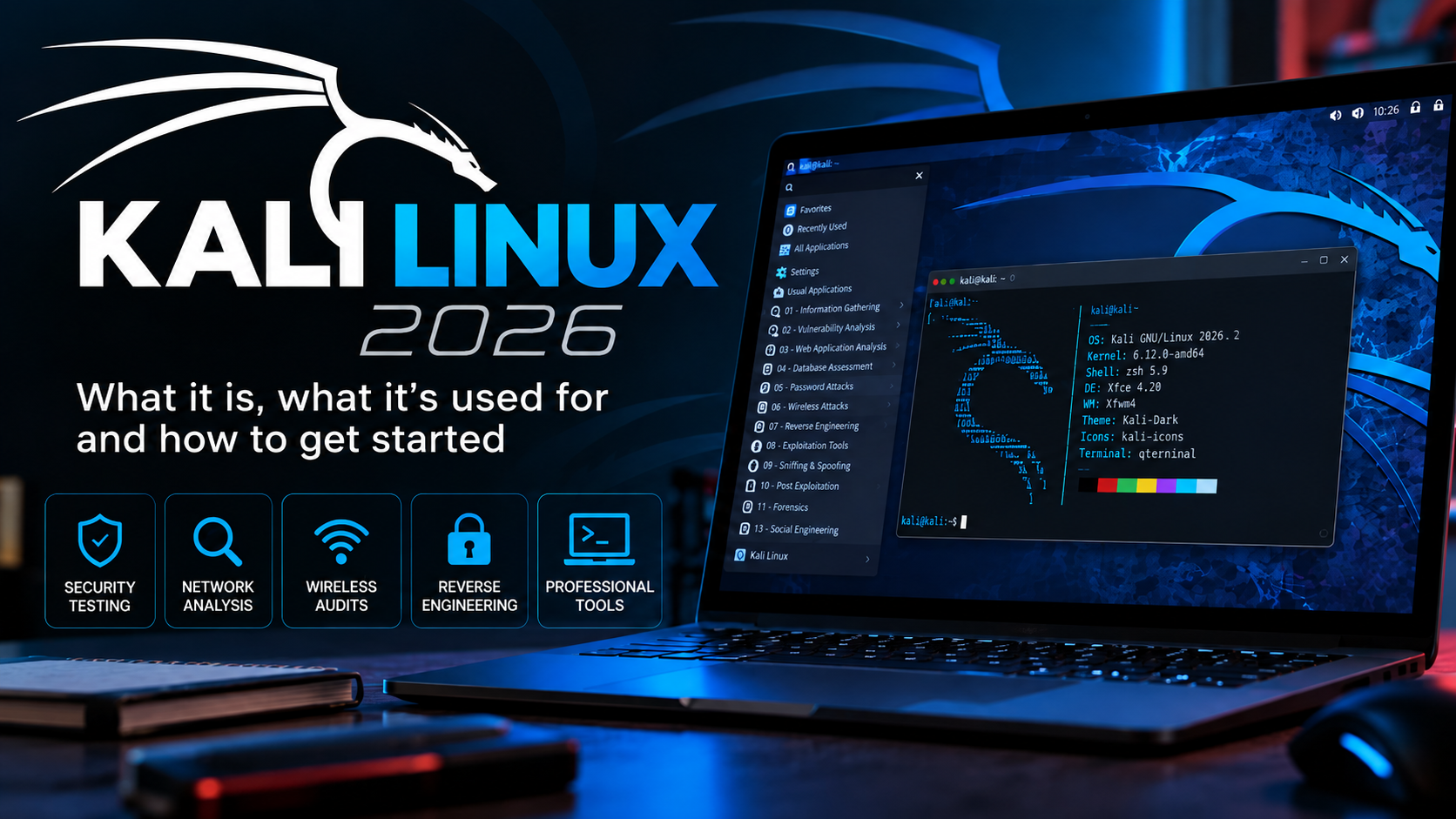
Kali Linux is a Debian-based GNU/Linux distribution for information security, authorized penetration testing, digital forensics, research, and training. Developed by the team at OffSec, it follows a rolling-release model: installed systems keep receiving packages and improvements rather than being frozen at one annual version.
As of October 2026, the most recent numbered Kali release is 2026.2, published June 29, 2026. Among its changes are GNOME 50, KDE Plasma 6.6, an updated APT repository-file format, and optimizations for virtual machine startup.
Installing Kali does not make someone a security specialist
Kali provides a large collection of tools, but tools are only useful when you understand the systems under examination. You need fundamentals such as Linux administration, TCP/IP networking, routing, HTTP, authentication, elementary cryptography, and sound testing methodology.
Think of a workshop full of professional instruments: owning them is not the same as knowing when to use each one, how to interpret a reading, or how to avoid causing damage.
From BackTrack to Kali Linux
Kali launched in 2013 as the successor to BackTrack and was rebuilt around Debian. The project acknowledged those roots again in 2026 with a BackTrack-inspired mode for Kali Undercover, marking twenty years since the earlier project.
What is Kali Linux used for?
- Authorized penetration testing: evaluating configurations and security weaknesses within an agreed scope.
- Red team exercises: controlled simulations to assess detection and response.
- Blue team work: investigation, validation, forensics, and incident response.
- Web application security: testing applications you own or have permission to assess.
- Wireless analysis: assessing Wi-Fi environments in controlled laboratories with compatible hardware.
- Digital forensics: acquiring and examining evidence under appropriate procedures.
- Education: capture-the-flag exercises, purpose-built labs, and training.
- Research: reproducing defects and studying protocols and implementations.
What Kali is not
- It is not permission to access someone else’s systems.
- Calling something a “security test” does not make unauthorized activity lawful.
- It is not necessarily the best first GNU/Linux distribution for a complete beginner.
- You do not have to install it directly on a physical PC to learn.
- Most everyday work does not require a root shell.
Ethics, permission, and scope
Work only on systems you control or for which you have explicit authorization. In professional engagements, the written scope should define systems, networks, dates, approved techniques, contacts, and how sensitive information will be handled.
For learning, use isolated virtual networks and deliberately vulnerable training machines. Building a safe, contained lab is itself an important security skill.
What does rolling release mean?
The main branch is kali-rolling. Releases such as 2026.1 and 2026.2 identify the state of an installation image at a point in time; an installed system continues to evolve through APT updates.
sudo apt update
sudo apt full-upgrade
Avoid mixing regular Debian, Ubuntu, or unrelated third-party repositories into Kali. Despite its Debian roots, Kali maintains its own rolling packages and dependency expectations.
The APT repository-format change in Kali 2026.2
Kali 2026.2 began shifting fresh installations away from the traditional /etc/apt/sources.list entry toward the deb822 format stored in /etc/apt/sources.list.d/kali.sources. Existing installations are not automatically rewritten. Both formats work, but blindly applying an old tutorial that overwrites repository configuration can cause problems.
The official Kali release notes and repository documentation should be your first stop when diagnosing APT errors.
Ways to run Kali Linux
| Deployment | Advantages | Best use |
|---|---|---|
| Virtual machine | Snapshots, isolation, easy rollback | Recommended for beginners |
| Live USB | Portable, can run without installing to disk | Diagnostics and mobile labs |
| Live USB with persistence | Retains selected changes | Managed portable toolkit |
| Bare metal | Direct access to hardware | Specialized Wi-Fi, GPU, and USB needs |
| WSL | Integration with Windows | Compatible CLI workflows |
| Container | Lightweight, disposable environment | Specific tools without a complete desktop |
| Cloud instance | Remote access and scalability | Temporary, controlled environments |
| ARM images | Support for selected single-board computers | Raspberry Pi and other supported hardware |
Why start with a virtual machine?
Snapshots let you restore a known-good state; virtual networks let you separate vulnerable targets from your everyday devices. A Kali VM with NAT for updates and a second isolated network adapter for lab targets is a practical starting point.
Isolation is not automatic merely because a VM is involved: check network adapters, shared folders, clipboard settings, and host-to-guest access before launching intentionally vulnerable systems.
Desktop environments
Kali offers several desktop choices. Xfce is relatively lightweight, while GNOME and KDE provide more integrated desktop experiences. In 2026.2, GNOME moved to version 50 and KDE Plasma to 6.6. The desktop environment does not determine which security tools you are allowed or able to run.
Metapackages and tool installation
Kali groups applications into metapackages covering default utilities, web security, wireless analysis, forensics, and more expansive collections. Installing every available tool consumes considerable storage and makes the system harder to understand and maintain.
A better approach is to install what a particular lab requires, learn each tool’s purpose, and pay attention to the dependencies it introduces.
Common families of Kali tools
| Area | What you learn |
|---|---|
| Information gathering | Asset inventory, DNS, services, exposed interfaces |
| Vulnerability analysis | Configuration and version findings requiring assessment |
| Web security | HTTP, sessions, APIs, and browser behavior |
| Password auditing | Credential strength in approved environments |
| Wireless | 802.11, packet capture, and radio diagnostics |
| Reverse engineering | Binary formats and program behavior |
| Forensics | Storage, memory, and evidence handling |
| Reporting | Reproducibility, evidence, and mitigations |
Learn the fundamentals before the tool names
Before using a complex exploitation framework, make sure you can interpret an IP address and network prefix, a routing table, a DNS query, and a TCP capture. Understanding these basics makes security findings easier to validate and explain.
If networking is unfamiliar, our computer networking roadmap covers the fundamentals you will need for Kali exercises.
A learning roadmap
- Learn the GNU/Linux terminal, files, permissions, processes, and package management.
- Study IPv4, IPv6, DNS, TCP/UDP, routing, and HTTP.
- Install Kali in a virtual machine with an isolated lab network.
- Practice packet analysis with Wireshark or tcpdump before exploitation.
- Perform reconnaissance exclusively against lab assets.
- Use intentionally vulnerable web apps to study common security defects.
- Automate legitimate repetitive tasks with Bash and Python.
- Record objectives, evidence, impact, and mitigations for each exercise.
- Learn defensive monitoring and detection as well as offensive techniques.
- Gain experience in permitted CTFs and training environments before real assessments.
Where can you practice legally?
You can create your own intentionally vulnerable virtual machines or use training platforms expressly designed for security education. Always read the scope and rules of engagement: even a training platform may prohibit specific techniques or targets.
Kali for blue teams
Kali is not exclusively an offensive toolkit. Packet capture, forensic utilities, authorized scanning, and controlled test cases help defenders verify security controls and reproduce incidents. Understanding an attack technique also helps teams develop effective detections.
Keeping Kali updated safely
- Use official repositories.
- Read release notes before substantial changes.
- Use
full-upgradefor rolling updates and avoid mixing branches. - Take a snapshot before experimenting with a VM.
- Never run an unexplained third-party script as root.
- Keep important files backed up outside the lab environment.
Download Kali from the official project
Use Get Kali for installer images, Live media, and official virtual machines. Verify SHA-256 hashes and, when stronger provenance verification is needed, check published GPG signatures.
Your next practical step
Download an official virtual machine image, connect it to a controlled lab network, take an initial snapshot, and document the configuration. The goal is to build a repeatable learning environment—not to install the largest tool collection.